Migrating my vanilla JS site to Vue 3
We moved a hand-built vanilla JavaScript site to a Vue 3 app built with Vite. The hardest part was turning static pages into components that Vue Router manages.
My previous personal and business website was built with pure HTML, CSS and vanilla JavaScript. It needed a modern overhaul.
The goals were:
- Improve maintainability and scalability.
- Improve the developer experience (DX).
- Modernize the look and feel.
- Add a blog to share my AI development work.
I chose Vue 3 for its component model and reactive data binding. I chose Vite for fast development and build times, TypeScript for type safety, and Tailwind CSS for utility-first styling.
Moving from static HTML files to a dynamic single-page application (SPA) raised several challenges.
- The biggest hurdle was the site's structure. Instead of separate HTML pages, I needed a component-based architecture managed by Vue Router. That meant finding reusable UI elements and wrapping them in Vue components.
- Splitting the UI into components, such as headers, footers, sections and cards, took planning. The Composition API with script setup made the process cleaner.
- The mobile menu needed state shared across components. Rather than reaching for a full state manager like Pinia, I used Vue composables (useMobileMenu.ts), which are lightweight.
- Moving from my custom CSS to Tailwind CSS meant learning the utility-first approach. It paid off in development speed. The @tailwindcss/typography plugin styled the blog content.
- Building the blog from scratch was a mini-project. It included a data structure for posts (blogPosts.ts), components for blog cards (BlogPostCard.vue) and full posts (BlogPostContent.vue), and dynamic routing with Vue Router for post slugs.
- Adding TypeScript meant defining interfaces for props, data structures and component logic. It added overhead at first. The gains in code clarity and error prevention were worth it.
This migration produced the website you are reading now. It is a responsive SPA built with current web tools. The main results are:
- A modular, component-based architecture that is easier to manage and extend.
- A clean, modern design built with Tailwind CSS.
- Better performance from Vite and Vue 3 optimizations.
- A blog system that makes content updates easy.
- A better developer experience.
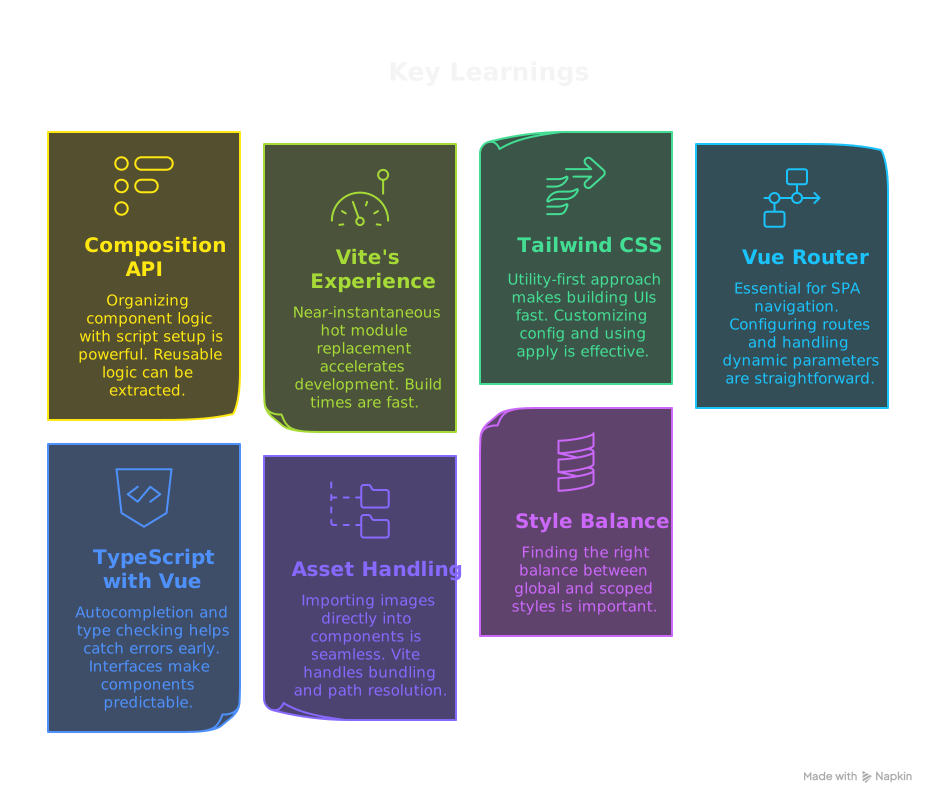
Key learnings
- The Vue 3 Composition API organizes component logic well, especially with script setup. Reusable logic moves into composables easily.
- Vite's developer experience is fast. Hot module replacement (HMR) is near-instant, and builds are quick.
- Tailwind CSS gets faster to use once the utility-first approach clicks. Customizing tailwind.config.js and using @apply for common component patterns works well. The @tailwindcss/typography plugin suits markdown-style content.
- Vue Router is essential for SPA navigation. Configuring routes, handling dynamic parameters such as blog post slugs, and customizing scroll behavior are straightforward.
-
TypeScript with Vue gives autocompletion and type
checking, and it catches errors early. Interfaces for
props (
defineProps<Props>()) and data structures make components more predictable. - Importing images and other assets directly into components is simple. Vite handles bundling and path resolution.
- Balancing global styles and scoped component styles matters. Global styles in src/assets/css/main.css hold base styling and the Tailwind imports.

How the AI helped
My LLM assistant was a helpful partner throughout this migration. It helped with:
- Brainstorming the initial project structure for a Vue 3, Vite and TypeScript setup.
- Generating boilerplate code for Vue components and routing configurations.
- Translating vanilla JavaScript logic and CSS styles into their Vue and Tailwind equivalents.
- Suggesting layout ideas and Tailwind CSS class combinations for various UI elements.
- Debugging TypeScript errors, Vue reactivity quirks and router issues.
- Explaining Vue 3 concepts and best practices as I encountered them.