My desktop AI stack with Electron and Ollama
We built a desktop AI assistant with Electron, Vue 3, local Ollama models, a FastAPI backend and Docker, and an AI coding assistant wrote all of the code. Our job was to define the what and the why, and the generated code still needed thorough testing.
Electron, Vue 3, Ollama, FastAPI and Docker make up the stack behind my Desktop AI Assistant. Google Gemini 2.5 Pro Preview wrote 100% of the code, from the Vue 3 frontend to the FastAPI backend and the Electron shell. I wrote the specifications, the system instructions and the prompts.
I gave Gemini a system instruction that defined its role as an expert full-stack developer. I specified what to build, and the AI worked out how to build it and wrote the code.
The technologies and their roles
- Electron is the cross-platform desktop shell. It lets web technologies build a native desktop experience. Gemini generated the main process logic, the window management and the IPC (inter-process communication) bridge to the renderer, following the security practices I outlined.
- Vue 3, with Vite and Tailwind CSS, builds the user experience. Gemini wrote clean, component-based Vue code with the Composition API. It split the RAG interface into components such as CrawlInputForm.vue and RagQueryInput.vue, and into the useCrawlAndRag.ts composable. The AI-generated codebase was surprisingly readable and maintainable.
- Local LLM interaction was a core requirement, and Ollama handles it. The app uses models such as Llama 3.x and LLaVA on the user's machine for chat, vision analysis and summarization. Gemini wrote all of the ollamaService.ts code, including model listing, streaming chat and vision processing.
-
To use Python's AI and ML libraries, such as Kokoro
TTS and Sentence Transformers for RAG, I needed a
FastAPI backend. Gemini designed and coded it,
including:
- Modular APIRouters for each function, such as tts_router.py and rag_router.py.
- The rag_core module, which turns my RAG requirements into Python services for chunking, embedding, ChromaDB interaction and answer generation.
- Pydantic models that validate data across the API endpoints.
- Docker manages dependencies and isolates the crawler. The crawl4ai library, which uses Playwright, posed a common cross-platform problem, especially with asyncio on Windows. After several iterations with Gemini, the fix was to Dockerize the crawler. Gemini generated the Dockerfile and the minimal FastAPI app, crawler_api.py, for this worker service.
How the components work together
Here is the RAG workflow, step by step:
- The user interacts with the Vue UI, such as CrawlRagView.vue.
- An IPC call, defined in AI-generated preload scripts, travels to the Electron main process.
- Electron's crawlRagService.ts, which is AI-generated, makes an HTTP request to the FastAPI backend.
- FastAPI's rag_router.py routes the request to ingestion_orchestrator.py, which is also AI-generated.
- This orchestrator calls the Dockerized crawl_service_docker over HTTP.
- The Docker service, crawler_api.py using crawl4ai, fetches the web content.
- The content returns to FastAPI, which handles chunking, embedding into ChromaDB and storage. Gemini implemented all of this logic.
- RAG queries follow a similar flow, with FastAPI using Ollama to synthesize the final answer.
I directed this workflow with prompts, and Gemini wrote all of the code. My role was to define the what and the why. The AI handled the how.
Advantages of the AI-built stack
- Development was fast. With the AI writing all of the code, I built features faster, and my time went to architecture, prompt precision and validation.
- The app is local first. Ollama, the local ChromaDB vector store and local TTS keep user data private, and the operations can run offline.
- The UI is rich and fast. Electron, Vue 3 reactivity and Tailwind styling produced a polished interface, all generated by AI.
- FastAPI connects the app to Python. It gives access to Python libraries for specialized AI tasks. Gemini wrote both the Python backend and the Electron-to-Python communication layer.
- Docker keeps the crawler stable. It manages the complex dependencies, so the crawler worked across different (conceptual) environments.
- I could focus on design. Without line-by-line coding, I could focus on system architecture, the user experience flow and defining the AI's capabilities.
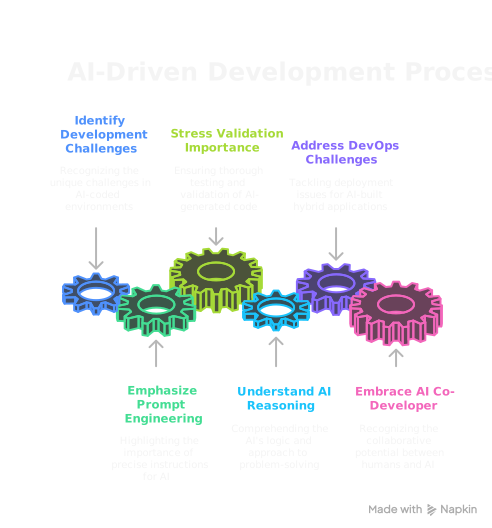
Challenges of an AI-coded project
- Prompt engineering is the new coding. The precision of system instructions and task prompts matters most. Ambiguity leads to AI 'bugs'.
- Validation is still required. Gemini's accuracy was very high, but thorough testing of AI-generated code remains necessary.
- The AI's reasoning can differ from a human's. Its logic often shows in its well-commented code, which I asked for, and that helps with debugging and extension.
- Packaging for end users is a separate problem. An Electron app with a Python backend and Docker dependencies presents unique deployment challenges. That is a topic for a future post.