The 30+ tools in my AI development stack
The 30+ tools behind my AI applications and workflows run from local Ollama models on NVIDIA GPUs to services such as OpenRouter, Perplexity and n8n.
These are the tools I use every day to build AI applications and automated workflows. Some are software, some are cloud services, and some are hardware. This is not a complete list. For each tool, I explain what it does and why it is in my stack.
AI models
I use these services to generate text, analyze information and understand images.
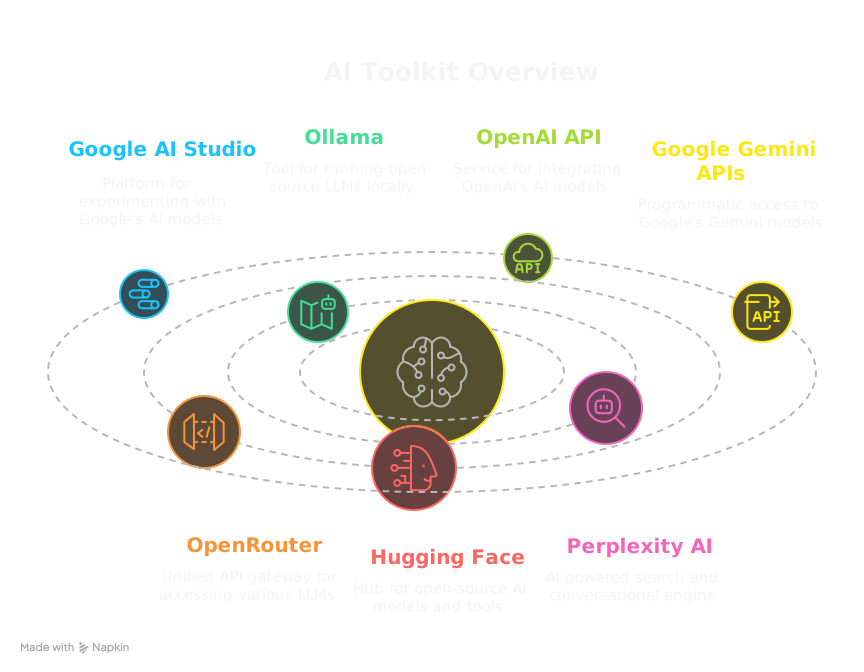
- Google AI Studio is Google's online platform for building with its latest models, such as Gemini 2.5 Pro Preview 05-06. It is my main tool for deep, iterative work with Google's models. Gemini 2.5 Pro's context window and multimodal support matter most for AI-first development. (ai.google.dev/aistudio)
- Ollama runs open-source LLMs such as Llama 3 and Mistral directly on your computer. I use it for local AI development. It keeps data private, works offline and keeps experiments cheap. (ollama.com)
- The OpenAI API gives developers access to GPT-4o (text and vision), the GPT-4.1 series (developer-focused), OpenAI o3 and o4-mini (reasoning models), DALL·E 3 (image generation) and Whisper (speech-to-text). The Assistants API is useful for agent-style experiences. I use it for cloud LLM tasks that need a specific model's strengths. (platform.openai.com)
- The Gemini APIs give programmatic access to Google's Gemini models, such as 2.5 Pro and Flash, for custom applications. I use them as another route to Google's multimodal models. (ai.google.dev/docs/gemini_api_overview)
- OpenRouter is a single API gateway to LLMs from OpenAI, Anthropic, Google, Mistral and open-source providers, with one key and one request format. I use it to compare and switch models without rewriting integration code. It is also useful for A/B tests and for workflows that route each task to a different model. (openrouter.ai)
- Hugging Face is a hub for the open-source AI community, with models, datasets and tools. I use it to find and test open-source models. (huggingface.co)
- Perplexity AI is an AI search engine that answers questions with cited sources. Pro users can also query models such as GPT-4 Omni, Claude 3.5 Sonnet/Haiku, Grok-2 and Gemini 2.0 Flash, without a separate API key for each. I use it for quick research and for getting up to speed on new topics. Its citations help me check claims. (perplexity.ai)
Local hardware
Local AI depends on hardware as much as software.
- I use an NVIDIA RTX 4090 desktop GPU and an RTX 4070 laptop GPU. The 4090 handles heavy work, and the 4070 is for portability. Both run larger Ollama models quickly and privately, which speeds up private AI development and testing. (Link for NVIDIA AI: nvidia.com/en-us/ai-data-science/)
- The GPUs and Ollama are central to my local AI work, and I plan a separate post on that setup.
Code and data
These tools write code and prepare the data behind AI.
- Python is a programming language widely used in AI and data science. I use its libraries for AI and machine learning, Pandas for data work and FastAPI for web APIs. (python.org)
- Pandas is a Python library for data analysis, like a spreadsheet in code. I use it to load, clean, transform and analyze structured data for AI models. (pandas.pydata.org)
- JavaScript is the language of web browsers, and TypeScript adds optional static typing. I use both for frontend work with Vue.js and Nuxt.js, and for Node.js environments such as Electron. (JavaScript: developer.mozilla.org, TypeScript: typescriptlang.org)
- VS Code is my main code editor. Copilot is an AI pair programmer that suggests code, which speeds up my coding. (VS Code: code.visualstudio.com, Copilot: copilot.github.com)
Application logic
Tools that structure applications and manage complex operations.
- FastAPI is a fast web framework for building APIs with Python. I use it for Python backends that serve AI models or run workflows. (fastapi.tiangolo.com)
- Pydantic is a Python library for data validation and settings, based on type hints. I use Pydantic models to define the data sent to LLMs, for example for function calling or structured prompts. I also use them to validate the JSON that LLMs return, which makes their output more predictable and less prone to errors. That matters most when building agents or any system that depends on reliable AI data. (Links: pydantic.dev and Instructor)
Workflow and integration
Tools that connect systems and automate sequences of tasks.
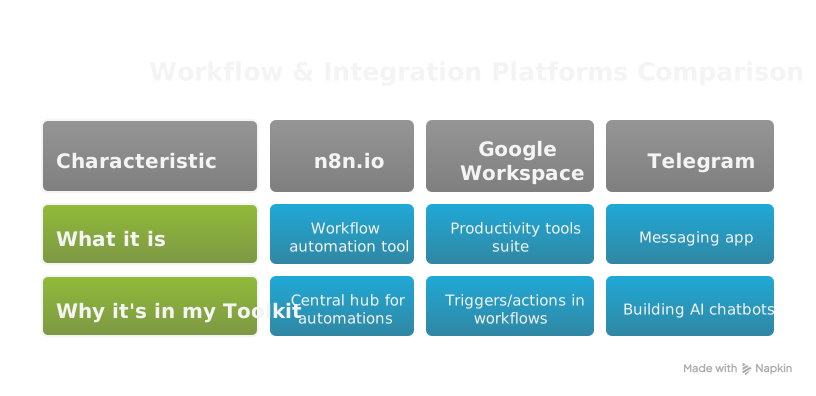
- n8n is an extendable, source-available workflow automation tool. It is the hub for my automations, which tie together APIs, AI models and services. (n8n.io)
- Google Workspace is Google's suite of productivity tools, including Gmail, Sheets and Drive. I use it as triggers and actions in n8n workflows, and for AI integration. (workspace.google.com)
- Telegram is a messaging app with a bot API. I use it to build custom AI chatbots and notification systems connected to n8n. (telegram.org)
User interfaces
How users interact with the AI applications I build.
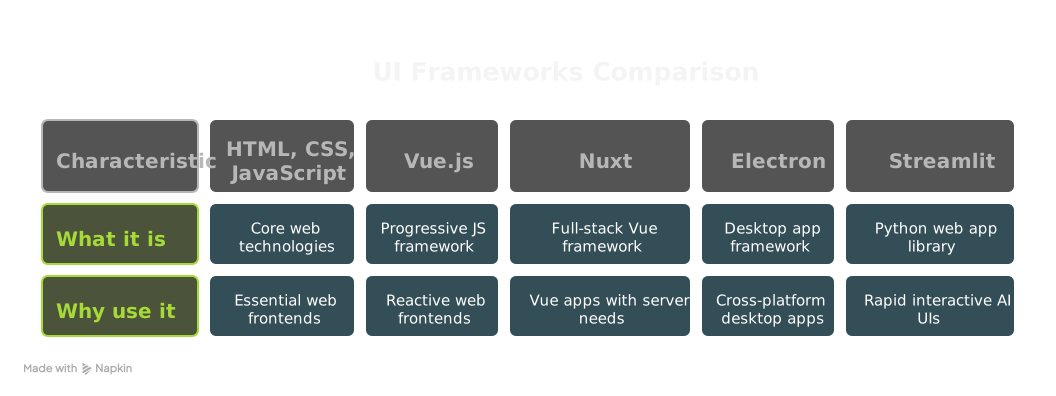
- HTML, CSS and JavaScript are the building blocks of every website and web application. I use them for any web frontend. (developer.mozilla.org/en-US/docs/Web)
- Vue 3 is a progressive JavaScript framework for building user interfaces. I use it for reactive, component-based web frontends. (vuejs.org)
- Nuxt 3 is a full-stack framework built on Vue.js that handles server-side rendering, static sites and more. I use it for Vue applications that need server-side features or static generation. (nuxt.com)
- Electron is a framework for building native desktop apps with web technologies. I use it to build cross-platform desktop AI apps that use local resources securely. (electronjs.org)
- Streamlit is an open-source Python library for web apps in machine learning and data science. I use it to build interactive UIs and dashboards for AI tools in Python quickly. (streamlit.io)
Deployment and infrastructure
Tools that put applications online, keep them running and connect them securely.
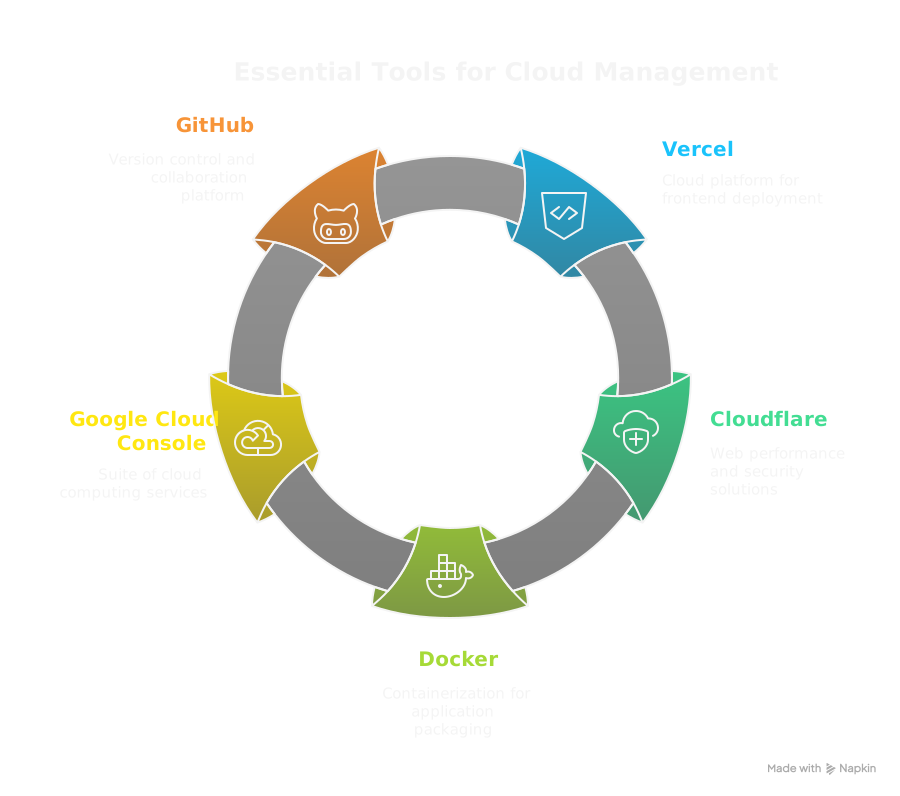
- Vercel is a cloud platform for frontend frameworks and static sites. I use it to deploy frontend applications quickly. (vercel.com)
- Cloudflare provides web performance, security and Zero Trust networking tools. I use it to secure web apps, improve performance and create Cloudflare Tunnels that expose local services. (cloudflare.com)
- Docker is a platform for developing, shipping and running applications in containers. I use it to package applications with complex dependencies. (docker.com)
- Google Cloud Console is the console for Google's cloud computing services. I use it when a project needs the wide range of services it offers. (console.cloud.google.com)
- GitHub is a web platform for Git version control and collaboration. It is the backbone of all my code, covering version control, collaboration and CI/CD. (github.com)
Data ingestion and parsing
Tools that prepare data for AI and improve how I work with LLMs.
- Crawl4AI is a Python library for crawling websites and extracting content for AI. I use it to get clean, AI-ready content for custom knowledge bases. (docs.crawl4ai.com)
- LlamaParse is a LlamaIndex service that parses complex documents such as PDFs, including their layout. I use it for OCR and parsing of difficult PDFs before LLM ingestion. (docs.llamaindex.ai/llamaparse/)
- code2prompt is a command-line tool that prepares codebases as context for LLMs. It gives AI models large, relevant code context. (code2prompt.dev/docs/welcome/)
Ideas, knowledge and community
Tools for keeping up, brainstorming, managing knowledge and connecting with others.
- NotebookLM is a Google research and writing assistant. It grounds its answers in up to 50 large sources, including PDFs, text, Google Docs, websites and YouTube transcripts. It also makes an audio overview of your sources. I use it to synthesize information from several sources, ask questions about my documents and listen to audio summaries. Its grounding in sources is key to accuracy. (notebooklm.google.com)
- tldraw is an online whiteboard for sketching and diagramming. I use it to whiteboard architectures and ideas. (tldraw.com)
- NapkinAI is an AI tool for capturing and connecting ideas. I use it to connect loose thoughts for long-term project ideas. (app.napkin.ai)
- Skool is a platform for building online communities. It suits communities focused on AI and workflow automation. (skool.com)
- YouTube is the video-sharing platform, and a source of tutorials, AI news and insights. (youtube.com)
How the tools work together
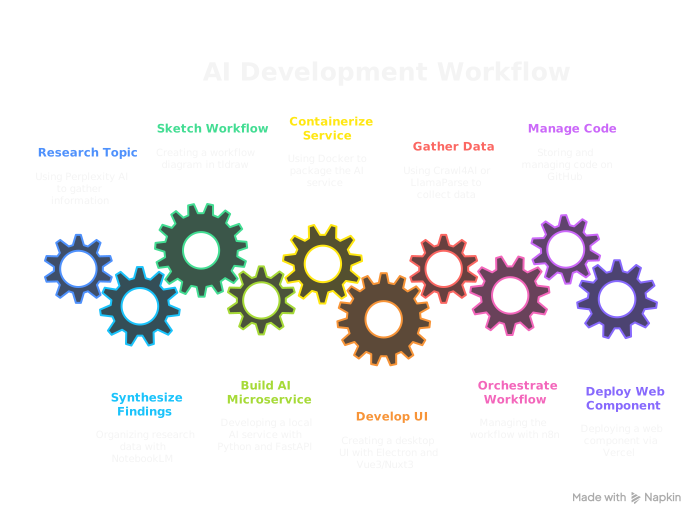
In practice the tools form a chain. I might research a topic in Perplexity AI, synthesize the findings in NotebookLM and sketch a first workflow in tldraw. Then I build a local AI microservice with Python, FastAPI and Ollama on my NVIDIA GPU, and containerize it with Docker.
An Electron app using Vue 3 or Nuxt 3 could provide the desktop UI, or a Streamlit app could handle rapid prototyping. Crawl4AI or LlamaParse could gather data for the service. An n8n workflow could orchestrate the process and push results to Google Sheets. Cloudflare manages secure external access.
All code lives on GitHub. A user-facing web component could deploy on Vercel. OpenRouter gives flexible model access when the work needs it.