A Tkinter GUI for selecting code2prompt files
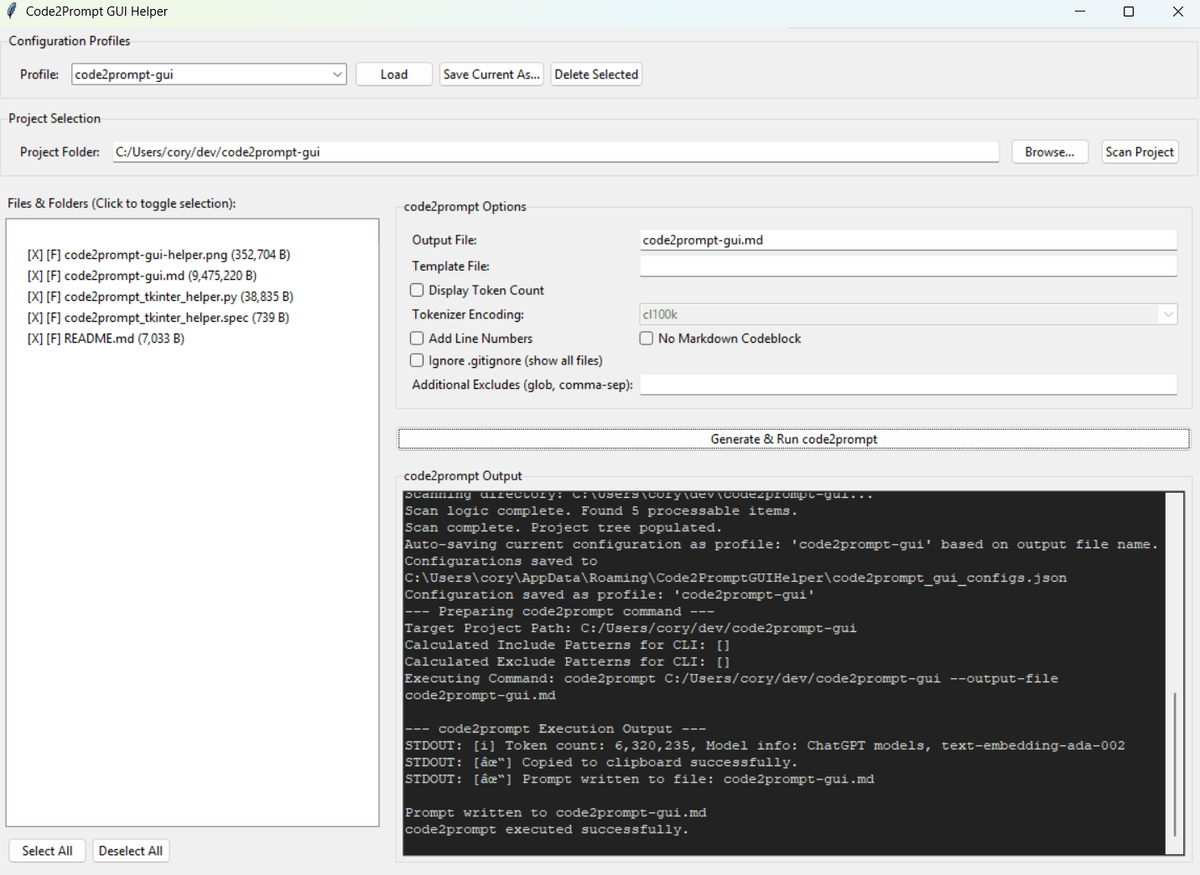
Selecting a folder in this Tkinter app selects its contents too, and the app builds a minimal set of code2prompt --exclude arguments from your choices.
Why I built it
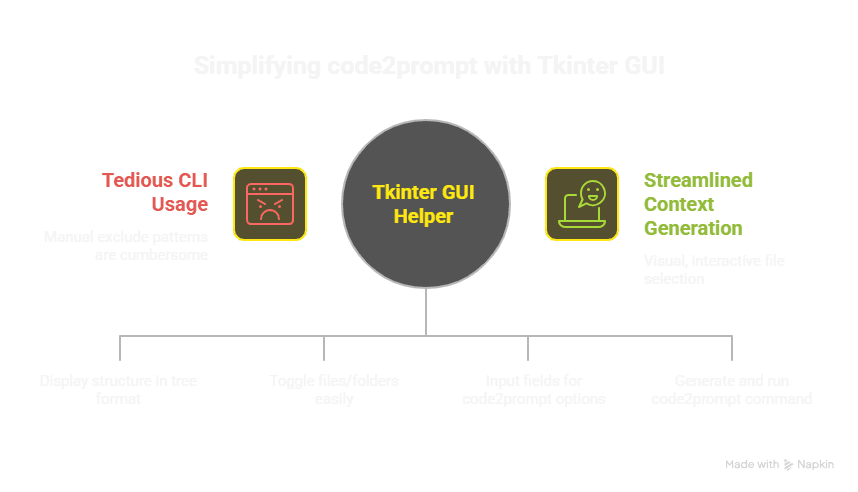
The code2prompt CLI generates context-rich prompts from codebases. My "Electron/Vue3/Ollama Multi-Modal AI Assistant" project has tens of thousands of files once dev dependencies and backend services are counted. Writing --exclude patterns by hand for that is tedious and error-prone.
I wanted a visual way to choose exactly which files and folders go into the prompt.
The challenges
The GUI had to do five things:
- Scan a project directory and show its structure as a tree.
- Let users select or deselect a folder and its contents, or a single file.
- Provide inputs for common code2prompt command-line options.
- Build the code2prompt command with the right --exclude arguments from those selections.
- Run the command and show its output in the GUI.
I first considered PySimpleGUI. Its Tree element has no direct per-node checkbox control, and updating selections on large trees was hard. I chose Python's built-in Tkinter and its themed ttk widgets instead. That takes more boilerplate, but it gives finer control over the treeview and item states.
The hard parts were recursive selection toggling for folders and keeping the generated exclude paths minimal and correct.
What it does
The code2prompt_tkinter_helper.py script is a desktop app with these features:
- A project folder browser.
- An interactive file and folder tree. Clicking an item toggles its selection, along with its children if it is a folder. A "[X]" or "[ ]" prefix shows the state.
- "Select All" and "Deselect All" buttons.
- A section for code2prompt options, such as output file, template, token counting and line numbers.
- A "Generate & Run code2prompt" button that builds and runs the CLI command.
- A text area that shows the generated command and the live STDOUT and STDERR from code2prompt.
- A scan filter that skips common large directories such as node_modules, .git and venv, which speeds up processing for typical software projects.
The tool turns GUI selections into a precise set of --exclude arguments. That makes it easier to control what goes into the code2prompt context window.
Key learnings
- ttk.Treeview handles hierarchical data well. Mapping item IDs (iid) to custom data objects, such as my FileSystemItem class, is essential for managing state. Updating item text, such as the selection status, gives visual feedback.
- Recursive functions that toggle selections or walk the tree are fundamental for folder hierarchies.
- A separate dictionary (tree_items_map) that holds each item's true selection state, apart from the visual tree, worked well.
- subprocess.Popen runs external commands and captures their output. Streaming with iter(process.stdout.readline, '') feeds the output into the GUI and feels more responsive. Blocking calls still need careful handling.
- When a parent folder is deselected, its children need no separate exclude entries. get_selected_and_excluded_paths builds this minimal set of exclude patterns.
The AI approach
My LLM assistant was a patient partner. It helped brainstorm Tkinter layouts, write event handlers, debug ttk.Treeview item updates and refine the logic that builds the subprocess command. It also drafted the first README for the helper.
Results
The helper saves me time and reduces errors when I prepare large codebases for code2prompt.